 Video Converter Pro
by Mezamii
Video Converter Pro
by Mezamii
Video Converter Pro
by Mezamii
Video Converter Pro
by Mezamii
Convert 20+ video formats directly in your browser — no upload, no signup, 100% private. Works on iPhone, Android, PC. Also available as a portable Windows app.
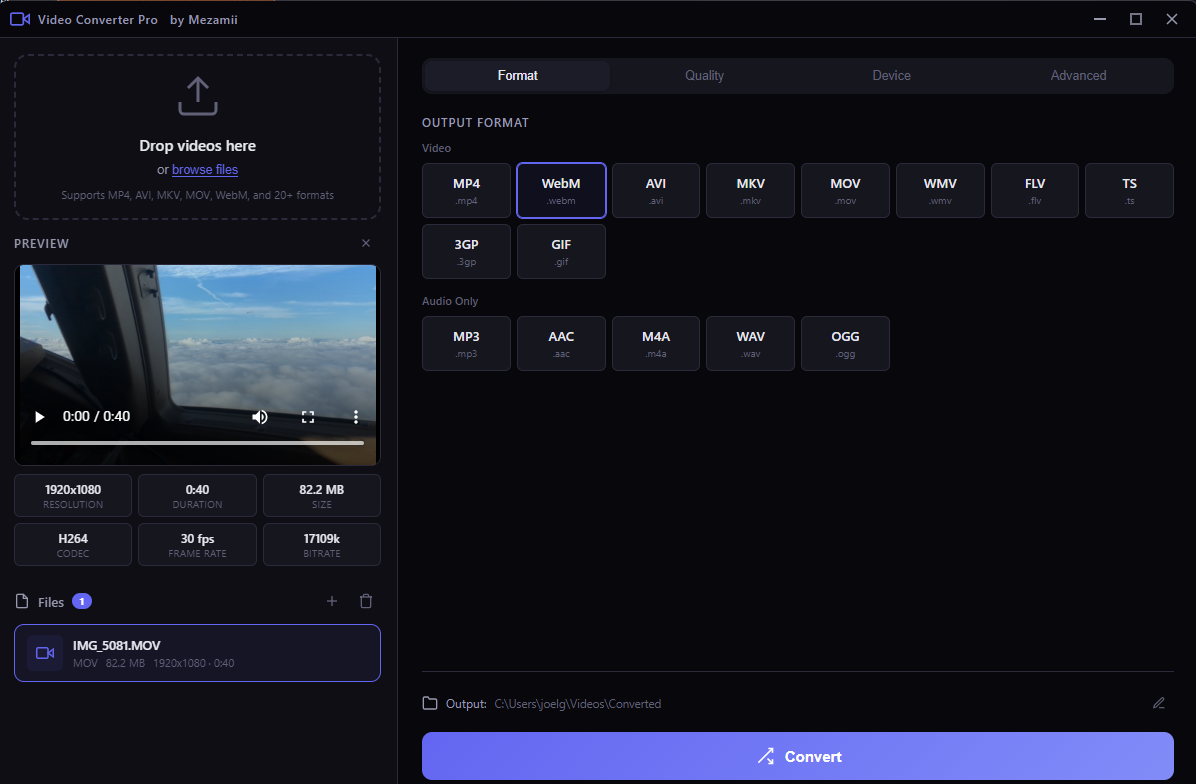
Professional video conversion tools, completely free. No watermarks, no limits, no accounts.
Convert between MP4, AVI, MKV, MOV, WebM, WMV, FLV, GIF, and more. Plus audio extraction to MP3, AAC, WAV, OGG, M4A.
One-click optimization for iPhone, Android, YouTube, Instagram, TikTok, Twitter, WhatsApp. Perfect settings every time.
Drop multiple files at once. Track progress for each file with real-time speed and time estimates.
CRF-based encoding reduces file size without visible quality loss. 5 quality presets from Maximum to Minimum.
Extract audio tracks as MP3, AAC, WAV, OGG, or M4A. Perfect for podcasts, music, and voiceovers.
Single executable, no installation needed. Runs from USB drives. No data leaves your computer, ever.
Drag & drop files or browse. Any video format accepted.
Pick output format or select a device profile for auto-optimization.
Use a preset or fine-tune CRF, resolution, and frame rate.
Click convert and watch real-time progress. Files save to your chosen folder.
Download Video Converter Pro — it's completely free, no registration required.
Download for Windows (105 MB)Requires Windows 10 or later · x64 architecture · No admin rights needed
Yes, completely free and open source (MIT license). No watermarks, no file limits, no signup. Both the desktop app and online version are free forever.
No. Everything is processed locally on your device. The online version uses WebAssembly to convert files directly in your browser. Your videos never leave your device — 100% private.
Yes! The online version works on any device with a modern browser — iPhone, iPad, Android, Windows, Mac, Linux. You can install it as an app on your home screen too.
20+ formats: MP4, AVI, MKV, MOV, WebM, WMV, FLV, GIF, TS, 3GP for video. MP3, AAC, WAV, OGG, M4A for audio extraction.
Drag and drop your video, select MP4 as output, choose a quality preset, click Convert. The file downloads automatically. No signup needed.
The desktop version (Windows) uses native FFmpeg for maximum speed and no file size limits. The online version uses WebAssembly — slightly slower but works on any device including phones and tablets.
Mezamii is an all-in-one platform to build, host, and monetize professional online courses. Join thousands of creators already teaching online.